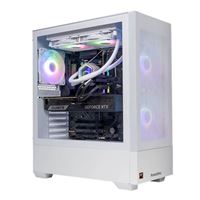
NVidia GeForce RTX 50x0 cards - 70% performance increase, but AI > you

Sludig

Potato del Grande
11,359
12,240
Losing track because there was so much. But looks like she's dead.

Reset movie to default, them updated. Restarting anyone from Windows often black screened but came back. Did Windows clean install and during one or two of those resets crashed but came back where it left off.

15 second on desktop idle it crashed.
Friend noticed after the fact ai auto tune was back on by default so turned that off and back to eufi profile. Voltage was a bit low as well on dram and threw it back on xmp2 and 1.4v

After turning off the default auto tune had several restarts just fine.

Went to reinstall Windows 11 not trusting the crashed during last install. At like 40% installation failed. Page fault unlocked area. Gave me choice no to clean install again when I rebooted it yes to remove USB and try continue upgrade or something like that. Tried to reinstall again, was moving between windows and black screened. Tried removing USB but bios had no bootable drive at this point.

Can try booting from the USB a few more times but don't it's going to be any good. Not sure how to ram test, 2nd set of 2x 16gb ripjaws I've had


Forgot to mention got this different crab screen when I was trying to advance start up to do the win 11 install
1000008064.jpg
 
Last edited:
  • 2Thoughts & Prayers
Reactions: 1 users

Neranja

<Bronze Donator>
3,119
5,088
Not sure how to ram test
Do you have a second PC or laptop? Download Memtest86 (free version) and make an USB boot stick with it. This will overwrite the USB stick of course.

Boot from USB. Let in run at least an hour.

You should probably reset your complete BIOS settings ("Load optimized defaults"), and after that just enable XMP on the memory. What CPU do you have?
 
  • 1Like
Reactions: 1 user

Sludig

Potato del Grande
11,359
12,240
Do you have a second PC or laptop? Download Memtest86 (free version) and make an USB boot stick with it. This will overwrite the USB stick of course.

Boot from USB. Let in run at least an hour.

You should probably reset your complete BIOS settings ("Load optimized defaults"), and after that just enable XMP on the memory. What CPU do you have?
I had done the last before Windows install. I7 12?00k. 12700 I think (went to bed). Would need to find a 3rd USB or just load over the windows 11 USB for now, and was on xmp
 

sole

Molten Core Raider
362
1,259
Seems like RAM, mobo, or a corrupted Windows 11 .ISO (or their in-house USB utility) to me.

I'd start by re-seating the GPU, RAM, SSD, and clearing the CMOS (usually by removing the battery for 15-20 seconds, though some motherboards can clear the CMOS with a button press so check the manual). Then I'd do what Neranja is suggesting and memtest the RAM, but I'd test the sticks individually, and then in dual-channel. If both sticks pass individually but fail in dual-channel, could point to a power issue on the motherboard. Note: use the optimized BIOS defaults as suggested, don't enable XMP.

If the RAM passes memtest, I'd redownload just the Windows 11 .ISO, and use RUFUS to make a bootable USB. If issues still persist and you have spare parts (GPU, PSU specifically) can try swapping those to narrow down the issue. If all that fails, it's probable that the mobo isn't delivering power effectively to some components.

At that point, I'd do what Utnayan is suggesting, but I'd opt for 64GB of RAM instead of 32GB if your cash expenditure can handle it, though that's just personal preference. Good luck and hope you get it working.
 

Khane

Got something right about marriage
21,578
15,484
Do you have an Intel CPU? If so what generation?

I had these same exact issues a few years back and it was the Intel CPU
 

Brahma

Obi-Bro Kenobi-X
13,631
52,267

I did this last year. Swapped case and fans. ZERO issues.

 
  • 1Truth!
Reactions: 1 user

mkopec

<Gold Donor>
28,137
44,278
I did this last year. Swapped case and fans. ZERO issues.

I had one of those and mine had issues. Bought it in 2020 during covid when you could not find a video card other than buying one of these prebuilds. Games kept crashing. So I took it back a few weeks later. They gave me a new one and swapped the drives, same shit.... Over the next few months it would keep crashing. Then I found out bios was like 2 yrs out of date. In fact it was so out of date that one of the bios patches was for the 3000 series nvidia cards that the thing had in it. So I updated it and it ran OK, but it would still have random crashes. Not as often as before but still would crash. I mean you spend $2K on something you expect it to work out the box when built by "professionals". IDK how this got overlooked.

Built my next one myself and absolutely no issues and never crashed yet.
 
  • 1Solidarity
Reactions: 1 user

Furry

Email Loading Please Wait
<Gold Donor>
27,521
40,632
To add to Sludig Sludig 's situation, its a good idea to start a system up as clean as possible. My money is on ram with something like that, but I've had some really weird problems over the years. I had a persistent crash long ago that acted exactly like ram going bad, but every single part worked in another computer when verified one by one. And then the whole computer worked in a different computer..... I looked at my old case and pretty much the only thing left was the dvd player. Plug the dvd player in... crashes. Unplug, runs perfect. I had to verify like 10 times because I didn't think something like that was even possible, but there it was.
 

mkopec

<Gold Donor>
28,137
44,278
I got the 7800 / 5080 model in the summer and not one issue. Awesome stuff.
Yeah maybe just that model had the problems. It was an intel system, 11700k which was a beast at the time, with a 3070 in it. But im assuming they ALL had it since I took it back and they swapped in a brand new one from the box, just swapped the drives. Still, it left a bad taste in my mouth. To have the bios so outdated would be a no no for a computer company to sell their shit with.
 
  • 1Like
Reactions: 1 user

Utnayan

F-16 Patrolling Hekotat for no reason
<Gold Donor>
17,372
15,185
Yeah maybe just that model had the problems. It was an intel system, 11700k which was a beast at the time, with a 3070 in it. But im assuming they ALL had it since I took it back and they swapped in a brand new one from the box, just swapped the drives. Still, it left a bad taste in my mouth. To have the bios so outdated would be a no no for a computer company to sell their shit with.

Yeah with mine the first thing I checked was the bios rev and updated that - but I was surprised with all the great components. Right now some of those price points can’t be beat.
 

Sludig

Potato del Grande
11,359
12,240
Seems like RAM, mobo, or a corrupted Windows 11 .ISO (or their in-house USB utility) to me.

I'd start by re-seating the GPU, RAM, SSD, and clearing the CMOS (usually by removing the battery for 15-20 seconds, though some motherboards can clear the CMOS with a button press so check the manual). Then I'd do what Neranja is suggesting and memtest the RAM, but I'd test the sticks individually, and then in dual-channel. If both sticks pass individually but fail in dual-channel, could point to a power issue on the motherboard. Note: use the optimized BIOS defaults as suggested, don't enable XMP.

If the RAM passes memtest, I'd redownload just the Windows 11 .ISO, and use RUFUS to make a bootable USB. If issues still persist and you have spare parts (GPU, PSU specifically) can try swapping those to narrow down the issue. If all that fails, it's probable that the mobo isn't delivering power effectively to some components.

At that point, I'd do what Utnayan is suggesting, but I'd opt for 64GB of RAM instead of 32GB if your cash expenditure can handle it, though that's just personal preference. Good luck and hope you get it working.
I've got money though had some bigger buys coming up, I just can't bring myself to spend > 500$ on just ram, though good knows how long until things settle, doesn't look good.

Will memtest, though until I get a working Windows installed done of the other stuff seems harder to really work on sussing out. I had debated putting the 3080 back in for the hell of it.

Would love to just hang it off to someone but I'm in bed Oklahoma.

Trying to shortcut and build a new rig was on my mind, but I'd be trying to reuse SSD ram and GPU of course. Microcenter deals useless where I live and shipping from a friend would eat up the savings, and those ugly white boxes also look tiny and question their cooling etc.

I wonder if any of the decent pre built companies would allow a custom order sans my major components I already have. They have to be hiring trying to get gpus anyways
 

mkopec

<Gold Donor>
28,137
44,278
Yeah with mine the first thing I checked was the bios rev and updated that - but I was surprised with all the great components. Right now some of those price points can’t be beat.
Yeah the thing is, most of the intel systems you dont really worry about bios, because most of the mo-bos are tailor made for the specific socket which is only around for one gen anyway and most have up to date bios. Im not sure why this specific one was all fucked up and old.
 
  • 1Like
Reactions: 1 user

jooka

marco esquandolas
<Bronze Donator>
15,886
7,354
If you've done multiple ram sets now, I'd lean more towards the mobo at this point
 
  • 1Like
Reactions: 1 user

sole

Molten Core Raider
362
1,259
I've got money though had some bigger buys coming up, I just can't bring myself to spend > 500$ on just ram, though good knows how long until things settle, doesn't look good.

Will memtest, though until I get a working Windows installed done of the other stuff seems harder to really work on sussing out. I had debated putting the 3080 back in for the hell of it.

Would love to just hang it off to someone but I'm in bed Oklahoma.

Trying to shortcut and build a new rig was on my mind, but I'd be trying to reuse SSD ram and GPU of course. Microcenter deals useless where I live and shipping from a friend would eat up the savings, and those ugly white boxes also look tiny and question their cooling etc.

I wonder if any of the decent pre built companies would allow a custom order sans my major components I already have. They have to be hiring trying to get gpus anyways
If you're thinking of doing a new build while keeping some of the previous parts, you might can find a barebones deal with case/mobo/PSU on newegg or amazon. Honestly though I'd just order those parts separately and get exactly what you want. Will definitely save you a lot of money not having to buy SSD/RAM if those components are working. Decide if you want to upgrade the CPU and get a solid mobo and CPU cooling option to go with it; don't know what wattage your PSU is but may not be bad idea to upgrade it as well depending on age and power draw of the new rig.

Just a mock up for price estimation, I have no idea if that's a good mobo or not, do your research of course, but could easily do a new rig for < $1k if you decide to go that route.

estimate.png
 
Last edited: