
Service Providers (Internet, TV, Etc)
- Thread starter Denamian
- Start date
You are using an out of date browser. It may not display this or other websites correctly.
You should upgrade or use an alternative browser.
You should upgrade or use an alternative browser.


- 16,460
- 1,175
Does it make any difference going to 2 gig from 500MB or something? Right now I get like 300MB/s on Starlink on a good day and I don't download giant files or anything but there's never really a time when it feels like my internet is slow.

- 29,076
- 42,903
I like fiber because my ping is absurdly low, but the only time I really notice my 2g bandwidth is when I'm downloading a game or something similar. I'm very impatient, so its worth the extra money for that for me.Does it make any difference going to 2 gig from 500MB or something? Right now I get like 300MB/s on Starlink on a good day and I don't download giant files or anything but there's never really a time when it feels like my internet is slow.
- 2


- 13,927
- 53,817
Does it make any difference going to 2 gig from 500MB or something? Right now I get like 300MB/s on Starlink on a good day and I don't download giant files or anything but there's never really a time when it feels like my internet is slow.
We will see. I'm assuming devices like my security cameras MIGHT be easier to connect to via Blink? I do know that my kids and grandkids are ALWAYS streaming something.

Malakriss
Avatar of War Slayer
- 13,345
- 12,698
The problem I have with going above 1gig (and likely many people do) is all of our switches are 1gig, so unless it is a direct line from the router everything else requires hardware upgrades. 2.5G switches are down to $50 deals but 5G/10G remain in the $100-$200 range priced for businesses. Why spend money now when it will scale from 2 to 5 to 10, wait for things to become more affordable.

Lanx
<Prior Amod>
- 78,117
- 183,938



your blink cams have to call home to blink servers? you might want to just put those cams on a different network or individually give each one more priorityWe will see. I'm assuming devices like my security cameras MIGHT be easier to connect to via Blink? I do know that my kids and grandkids are ALWAYS streaming something.
- 1
- 13,927
- 53,817
your blink cams have to call home to blink servers? you might want to just put those cams on a different network or individually give each one more priority
Yeah. Because of the clips being saved. I just snagged a NAS, but I haven't swapped the cams over to it yet. Lazy.
Lanx
<Prior Amod>
- 78,117
- 183,938
yea think about doing the separate network for just security reasons, you can go the lazy way (it seems to be your mantra) and just repurpose your guest network or you can take out an old router and put all the cams on thatYeah. Because of the clips being saved. I just snagged a NAS, but I haven't swapped the cams over to it yet. Lazy.
didn't you get a new gundam router?
- 1
- 16,460
- 1,175
But why bother upgrading at all unless you're going to see some tangible difference? I mean you can stream 4k on like 50 Mbps no problem so what's the point in upgrading? Even if there's 10 people streaming at once you're not going to need more than 1G for anything, certainly not for an individual device.The problem I have with going above 1gig (and likely many people do) is all of our switches are 1gig, so unless it is a direct line from the router everything else requires hardware upgrades. 2.5G switches are down to $50 deals but 5G/10G remain in the $100-$200 range priced for businesses. Why spend money now when it will scale from 2 to 5 to 10, wait for things to become more affordable.

Falstaff
Bronze Baronet of the Realm
- 8,790
- 4,036
I have gig service from Comcast and yeah its great to download a 150gb game in less than 10 minutes but the best part is no bandwidth cap. Peacock Premium being included is a nice perk too (for now, I think I read they are getting rid of this next year).

Kajiimagi
<Aristocrat╭ರ_•́>
- 6,026
- 10,713
When I went from wireless internet to Fiber they offered 2g and I'm like 'YES MORE POWER!!!' Then I thought about it and realized exactly what you said, I would have to upgrade everything in the house to get over 1G. So I went with the 1G service.The problem I have with going above 1gig (and likely many people do) is all of our switches are 1gig, so unless it is a direct line from the router everything else requires hardware upgrades. 2.5G switches are down to $50 deals but 5G/10G remain in the $100-$200 range priced for businesses. Why spend money now when it will scale from 2 to 5 to 10, wait for things to become more affordable.

Burns
Naxxramas 1.0 Raider
- 9,442
- 18,304

yea think about doing the separate network for just security reasons, you can go the lazy way (it seems to be your mantra) and just repurpose your guest network or you can take out an old router and put all the cams on that
didn't you get a new gundam router?
 Brahma
could also do a VLAN just for the security system, but yeah, separated by hardware is the best you can get for segregating security systems.
Brahma
could also do a VLAN just for the security system, but yeah, separated by hardware is the best you can get for segregating security systems.My Unifi router can run two separate LANs out of the same box, so it was the best of both worlds (security system on it's own LAN, then the other LAN has system admin, one VLAN for streaming devices, and one non-internet connected VLAN for "smart" device bullshit).
Learning how to setup either can take a bit of time, but YouTube is great for that.
I've used this guys videos before, here is something recent-ish he did for VLANs:
I mostly used this guy's videos to set up my Unifi router, but the Unifi UI has changed since then, so I'll just link the channel:

The Hook Up
The Hook Up is dedicated to making unsponsored, science and data driven reviews to help you choose the best products for your budget and use case. If you're interested in smart home products or home theater, you've come to the right place. There are no sponsored reviews on this channel.
 www.youtube.com
Last edited:
- 1
Lanx
<Prior Amod>
- 78,117
- 183,938
Learning how to setup either can take a bit of time, but YouTube is great for that.
I've used this guys videos before, here is something recent-ish he did for VLANs:
I mostly used this guy's videos to set up my Unifi router, but the Unifi UI has changed since then, so I'll just link the channel:
The Hook Up
The Hook Up is dedicated to making unsponsored, science and data driven reviews to help you choose the best products for your budget and use case. If you're interested in smart home products or home theater, you've come to the right place. There are no sponsored reviews on this channel.
Brahma
just ordered like 15 all metal minitures, you think he has time for vlan?- 6

- 1

- 1


Kiki
Log Wizard
- 2,370
- 1,997



Fuck. Comcast calls me. They are offering 2gig service. Free phone line (1 year) for 70 bucks.
Phone company in the middle of nowhere Texas is testing 8/2g fiber right now. Even the hospital and shit doesn't use close to that. It's only for bragging rights and people with too much money. I downloaded my steam game in 10 seconds and now what do I do the other 30 days and 23 hours? (also my hdd didn't keep up).
- 2

Lanx
<Prior Amod>
- 78,117
- 183,938
so i've been playing w/ this for a week
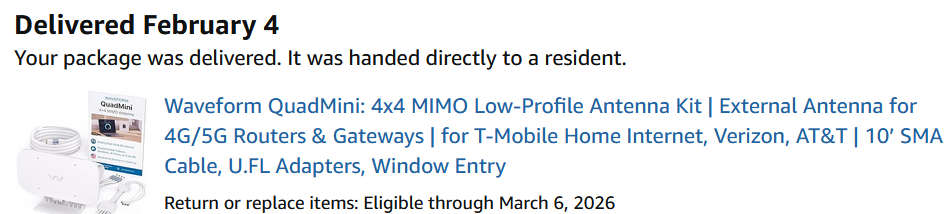
Waveform QuadMini: 4x4 MIMO Low-Profile Antenna Kit | External Antenna for 4G/5G Routers & Gateways | for T-Mobile Home Internet, Verizon, AT&T | 10’ SMA Cable, U.FL Adapters, Window Entry
so i don't know how many of you have a 5g-uw at home
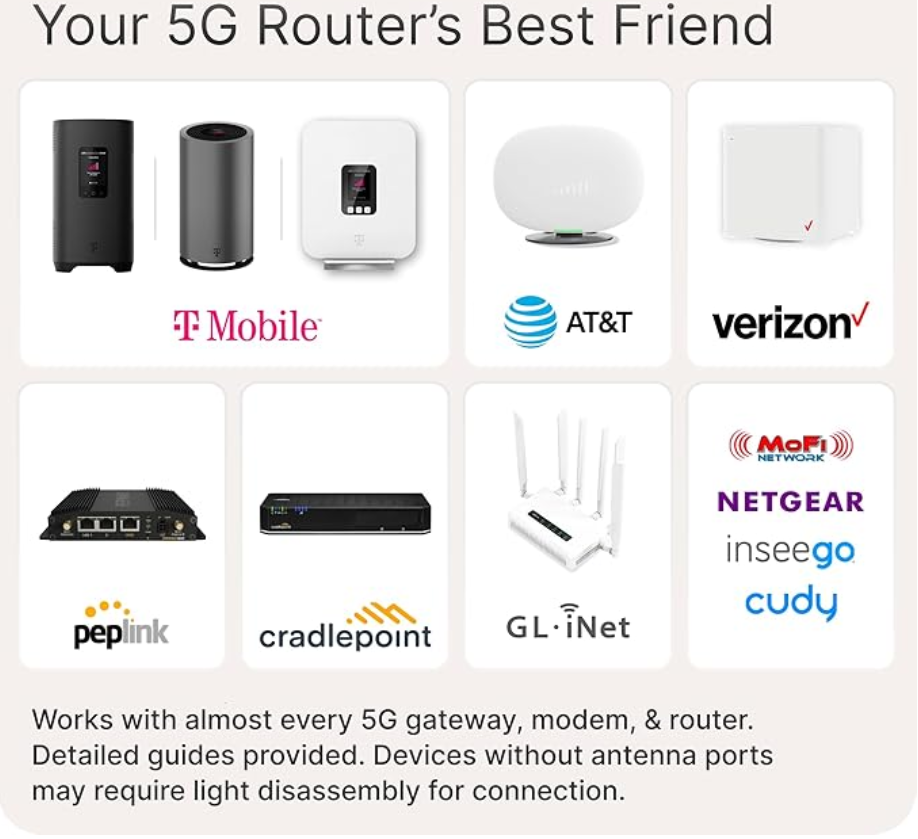
i actually had no issue b4 really, i'd get 250-300 and that was fine, the antenna gave me 299-330, which sure why not, what it did do was stop the random drop outs (i'd get maybe 4 a day lasting for maybe 1min)
some modems have connection points for external antennas, my verizon one did not, i had to pry it open
i could probably get more, it's actually just suction cupped to my window, but i'm not gonna whip out my ladder in this cold and install it outside.
Waveform QuadMini: 4x4 MIMO Low-Profile Antenna Kit | External Antenna for 4G/5G Routers & Gateways | for T-Mobile Home Internet, Verizon, AT&T | 10’ SMA Cable, U.FL Adapters, Window Entry
so i don't know how many of you have a 5g-uw at home
i actually had no issue b4 really, i'd get 250-300 and that was fine, the antenna gave me 299-330, which sure why not, what it did do was stop the random drop outs (i'd get maybe 4 a day lasting for maybe 1min)
some modems have connection points for external antennas, my verizon one did not, i had to pry it open
i could probably get more, it's actually just suction cupped to my window, but i'm not gonna whip out my ladder in this cold and install it outside.

Folanlron
Trakanon Raider
- 2,545
- 804
With were I live(Up in the hills, and the massive amount of redwoods in the area). Cell based service is kind of hit/miss, the "tower" they use is on the other side of hill, and 5g/hell even 4g doesn't penetrate rock all that great.
It works great in flattish areas, but in the hills.. No.
It works great in flattish areas, but in the hills.. No.

Kajiimagi
<Aristocrat╭ರ_•́>
- 6,026
- 10,713
Can you do starlink?With were I live(Up in the hills, and the massive amount of redwoods in the area). Cell based service is kind of hit/miss, the "tower" they use is on the other side of hill, and 5g/hell even 4g doesn't penetrate rock all that great.
It works great in flattish areas, but in the hills.. No.
Share: