Computer Issues

Neranja

<Bronze Donator>
3,244
5,299
The second monitor is connected via HDMI. Maybe there's a way to make it flag that was a physically larger device as opposed to flagging the laptop as physically smaller.
The issue is probably not resolution, but scaling and/or DPI/PPI values.
Right click on the desktop -> Desktop Settings.
Click on one monitor in the upper view (where you arrange your displays), scroll down to "Scale & layout" and look at the "Scale" value.
Scroll up, click the OTHER monitor and scroll down back to "Scale & Layout" and compare.
 
  • 1Like
Reactions: 1 user

Xarpolis

Life's a Dream
16,948
19,343
The issue is probably not resolution, but scaling and/or DPI/PPI values.
Right click on the desktop -> Desktop Settings.
Click on one monitor in the upper view (where you arrange your displays), scroll down to "Scale & layout" and look at the "Scale" value.
Scroll up, click the OTHER monitor and scroll down back to "Scale & Layout" and compare.
Good advice, thanks.
 

sole

Molten Core Raider
404
1,410
The PC in my spare bedroom is having issues with EXPO, maybe someone here has encountered this. The problem started a couple of days ago, out of no where, no hardware/software changes at all.

7700x, 32GB DDR5. If I cold boot the PC, it starts right up, however if I restart the PC, it takes 5-20 minutes. There are four mobo LEDs (VGA, BOOT, CPU, DRAM). During the restart cycle, the CPU/DRAM LEDs just keep bouncing off of each other for 5-20 minutes. Once they stop blinking back and forth, it'll stay on DRAM for about 10-20 seconds for training, then it posts and boots. I've tried damn near every memory setting in the BIOS (memory context restore, gear down, power down, etc.) and nothing makes a difference except turning off EXPO and then it boots fine whether it's a cold boot or a restart.

I'm thinking the CPU and RAM can't get a proper handshake during restarts, whether that's a memory controller, degraded timings, I have no idea. I guess that's the part where I'd like to see if anyone else has experienced this. What's odd is that the memory tests fine with EXPO or JEDEC, but restarting the PC with EXPO enabled is straight maddening.

I can either just never restart the PC and only do shutdowns, or run JEDEC and have it work fine. Kinda sucks because the 7700x really benefits from EXPO, and I think whatever is causing the handshake issue between the CPU/RAM during restarts might become a bigger problem later on. Weird issue, thanks for any insight.

 
  • 1Like
Reactions: 1 user

sole

Molten Core Raider
404
1,410
Update on the dumbass PC in my spare bedroom: Peripherals started randomly disconnecting, not recognizing anything I plug into the USB-C ports, etc. Mobo is dying.

Going to replace it and upgrade the CPU to a 9800x3d. Problem solved.
 
  • 1Like
Reactions: 1 user

Noodleface

A Mod Real Quick
40,723
20,828
Update on the dumbass PC in my spare bedroom: Peripherals started randomly disconnecting, not recognizing anything I plug into the USB-C ports, etc. Mobo is dying.

Going to replace it and upgrade the CPU to a 9800x3d. Problem solved.
Don't rule out the PSU too. Is it old?
 
  • 1Like
Reactions: 1 user

sole

Molten Core Raider
404
1,410
Don't rule out the PSU too. Is it old?
Man I thought the same when the perifs started dropping in and out. It's a 3 year old EVGA 850w, so should still have plenty of miles left on it. Took the PSU out of my main PC over the weekend just to be sure and still same issues. Extremely confident it's the mobo at this point. Good lookin out though, I appreciate it.
 
  • 1Like
Reactions: 1 user

Noodleface

A Mod Real Quick
40,723
20,828
Man I thought the same when the perifs started dropping in and out. It's a 3 year old EVGA 850w, so should still have plenty of miles left on it. Took the PSU out of my main PC over the weekend just to be sure and still same issues. Extremely confident it's the mobo at this point. Good lookin out though, I appreciate it.
Yeah that makes sense, that's a good test. Sounds like Mobo to me too
 

Lanx

<Prior Amod>
78,986
185,670
Update on the dumbass PC in my spare bedroom: Peripherals started randomly disconnecting, not recognizing anything I plug into the USB-C ports, etc. Mobo is dying.

Going to replace it and upgrade the CPU to a 9800x3d. Problem solved.
is it a problem with front and back usb? also check windows you might have some super usb power save enabled somehow
 
  • 1Like
Reactions: 1 user

sole

Molten Core Raider
404
1,410
is it a problem with front and back usb? also check windows you might have some super usb power save enabled somehow
Yeah it's a problem with both, I'm assuming the USB controller is malfunctioning and USB-C isn't functioning at all now. Couple that with the restart shenanigans and all signs are pointing to the mobo. No power efficiency stuff set up on the PC. Since the boot issues began I've just seen more malfunctions and failures. Have already ordered new mobo/cpu from Amazon, so should know for sure when they arrive. Appreciate the help though sir.
 

Lanx

<Prior Amod>
78,986
185,670
Yeah it's a problem with both, I'm assuming the USB controller is malfunctioning and USB-C isn't functioning at all now. Couple that with the restart shenanigans and all signs are pointing to the mobo. No power efficiency stuff set up on the PC. Since the boot issues began I've just seen more malfunctions and failures. Have already ordered new mobo/cpu from Amazon, so should know for sure when they arrive. Appreciate the help though sir.
yea this all points to the sb chipset, before you toss it, you could try updating drivers
 

sole

Molten Core Raider
404
1,410
I don't think any amount of drivers would've fixed that board Lanx Lanx but I appreciate the sentiment. Installed the new mobo and cpu last night, everything has been solid so far.
 

Kajiimagi

<Aristocrat╭ರ_•́>
6,788
11,443
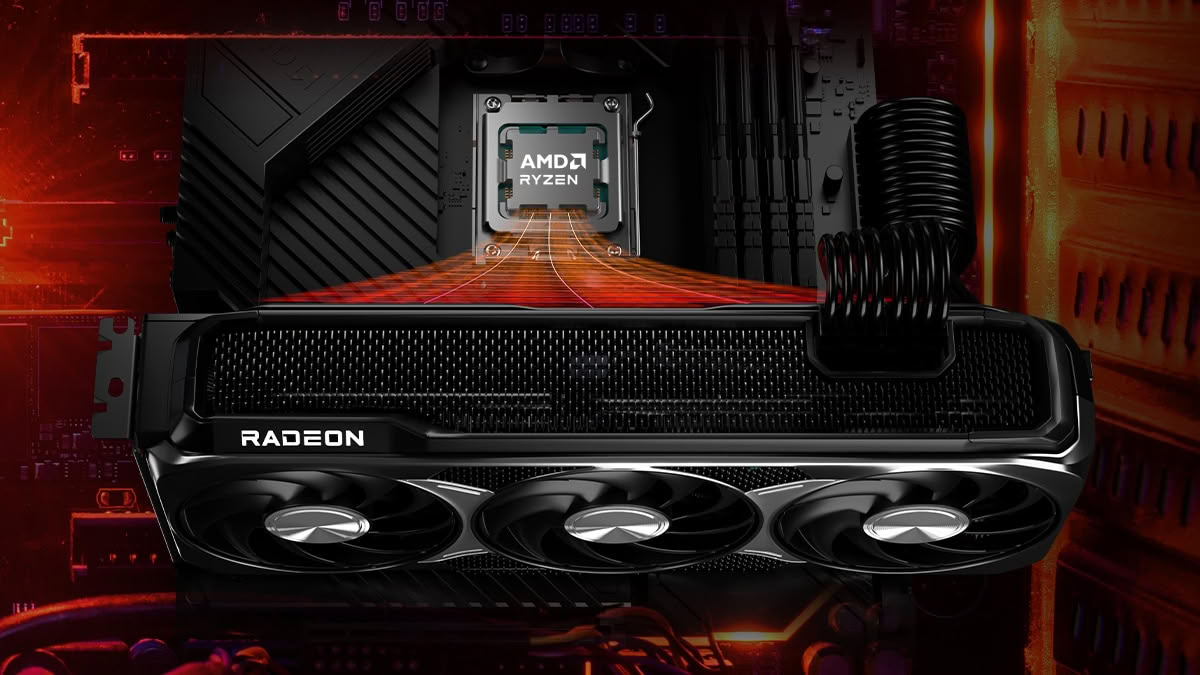
FYI AMD Video card users :


Posting to Desktop computers thread too.
 

Brikker

Trump's Staff
6,732
5,861
My AMD build getting stuck in a PC is Updating -> lose display port signal and never come back loop requiring all the hard restarts

Has become a monthly thing and it's just super fun.

Edit: posting that actually made me re-query Google AI with the issue and it suggested some DisplayPort problem might be the case. Something new to look into...
 
Last edited:

Lanx

<Prior Amod>
78,986
185,670
FYI AMD Video card users :


Posting to Desktop computers thread too.
yea i always have every kind of autoupdate turned off
 

Kajiimagi

<Aristocrat╭ರ_•́>
6,788
11,443
yea i always have every kind of autoupdate turned off
I didn't update them at all until they added FSR 4 to the 7000 series cards. Never tried the hack, now I don't have to. According to a lot of PC websites the 7900 XTX consistently beats or equals the 9700 XT, even with RT. Didn't see the point. I'm talking 4K gaming btw.
 

Nulolan

<Bronze Donator>
365
223
Second time this year Microsoft shit the bed pretty bad this year. No one in my company has been able to use email at all since yesterday. I work for a large non profit and we have a homemade program that is used across multiple states for intakes, tracking etc hundreds of people, no one can use it. Friday's are suppose to be the chill day, why would Microsoft push this shit on a Thursday man wtf. Now have to go in the code and pull out pin numbers for people to be able log in to the program, so will be here all day dealing with that.
 
  • 1Like
Reactions: 1 user